
Every order's state, not just the outcome.
Orders don't just succeed or fail. They work, partially fill, get cancelled, get rejected, expire. Periscøpe records the whole lifecycle, the fills behind each trade, and your positions, with your broker as the source of truth in live.
Order and broker state, made visible.
The full order lifecycle
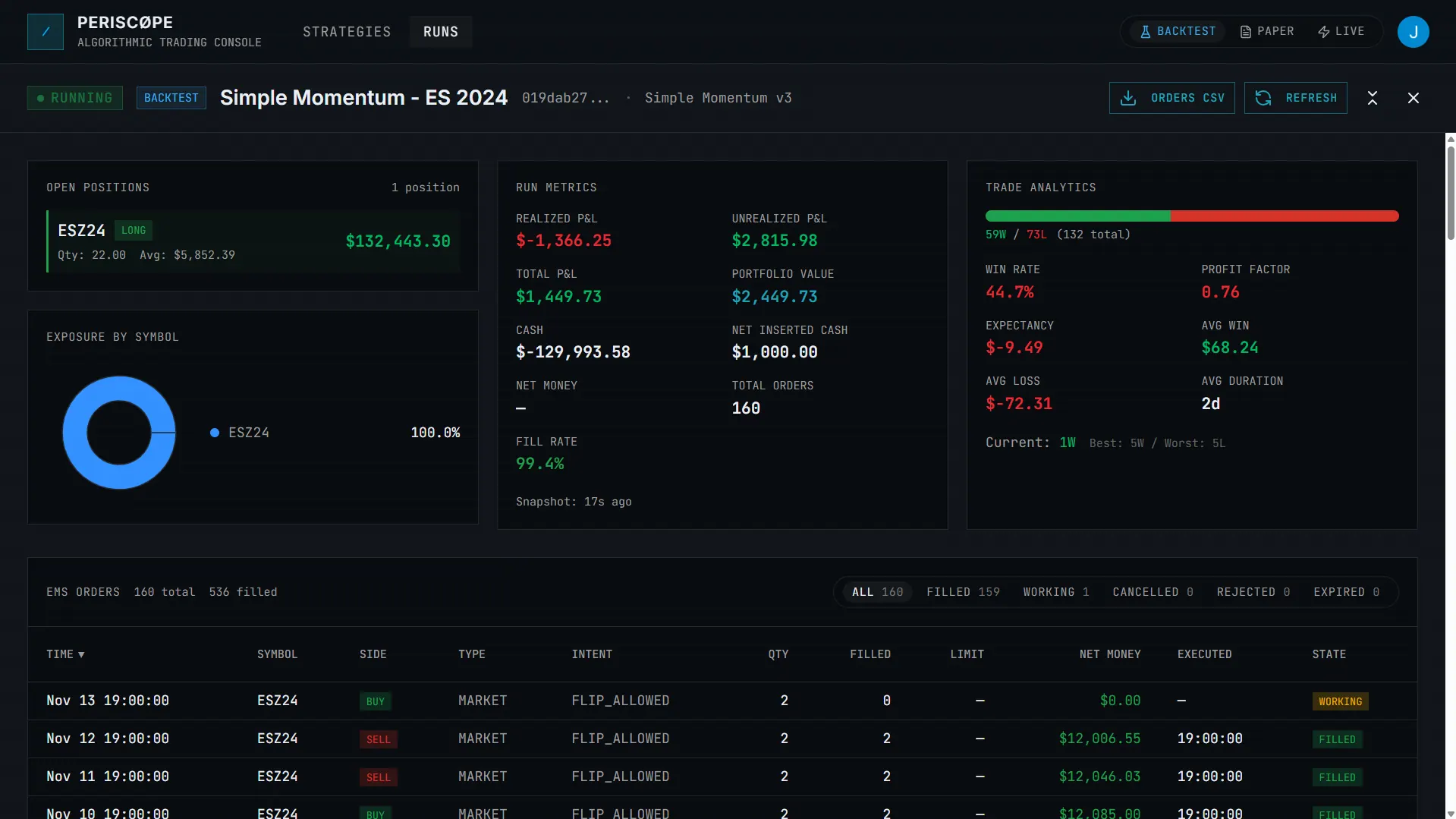
Every order with its state (working, filled, partially filled, cancelled, rejected, expired), not just a final outcome.
Fills and positions
The fills behind each trade and your open positions, so you can see how intent turned into reality.
Broker is authoritative
In live, your broker is the source of truth for fills, positions, and buying power. Periscøpe surfaces what it reports and shows buying power as advisory.
Rejections you can act on
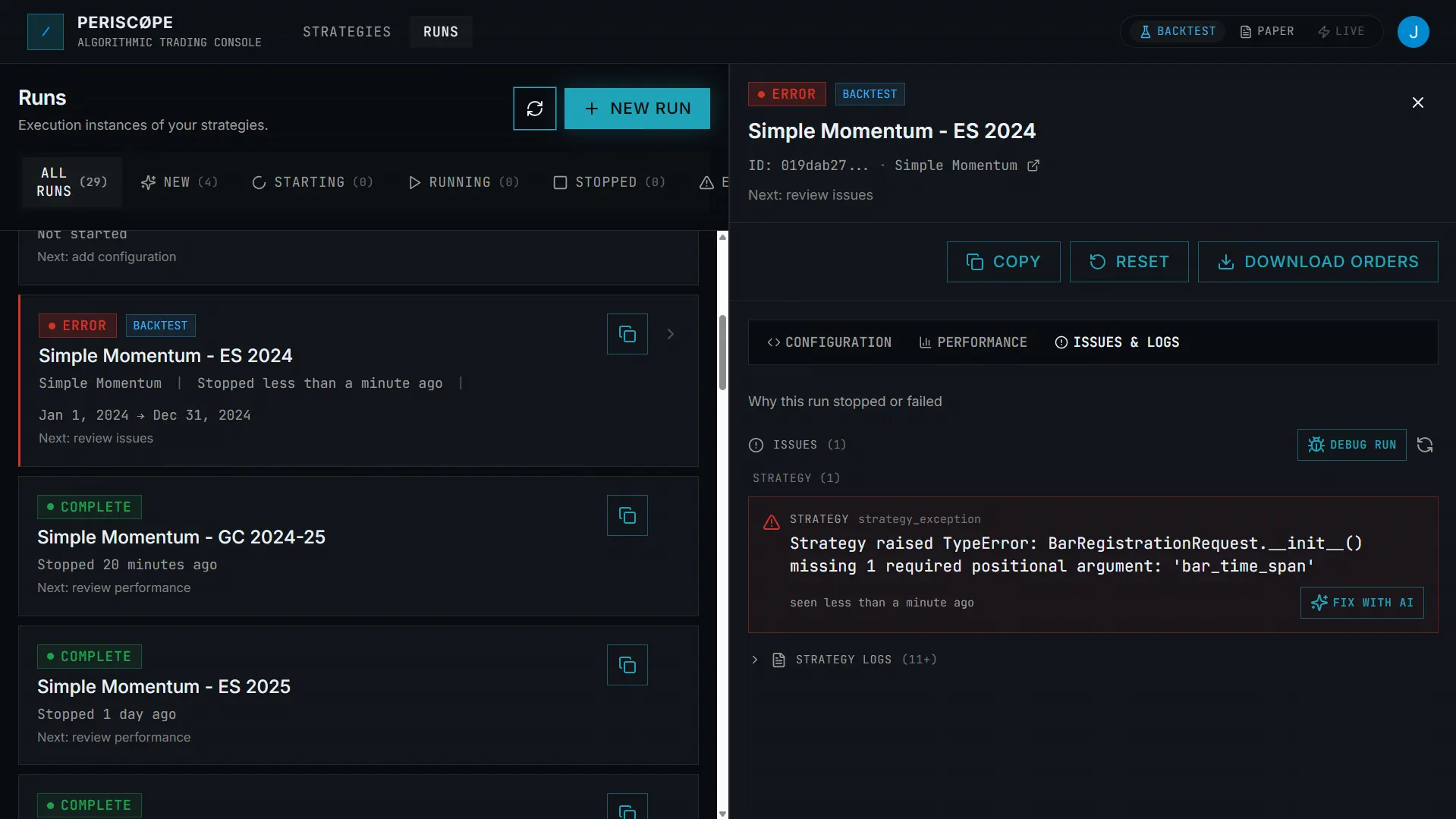
Rejected and cancelled orders are recorded with context, so a buying-power or state mismatch shows up early instead of as a mystery.
Follow each order from submit to fill.
Inspect every order's state transitions and the fills behind each trade, sortable and filterable by status. When an order is rejected or cancelled, you see it, and can trace why.
- Working, filled, cancelled, rejected, expired
- Fills with prices, counts, and times
- Filter and sort by order state
- CSV export for orders
Your model vs. the broker's truth.
In live, the broker is authoritative for fills, positions, and buying power. Periscøpe surfaces what the broker reports and flags buying power as advisory, so you can spot when your model and the account have drifted apart.
- Positions and fills the broker reports
- Advisory buying power in live
- Enforcing buying-power checks in backtest and paper
- Rejections recorded with context
What this is for.
Seeing what actually happened to your orders.
When an order didn't behave as expected, you want the lifecycle and the fills, not a guess. This is the order-state visibility that makes that possible.
The broker remains the source of truth.
Periscøpe surfaces and records broker-reported state; it doesn't replace your broker's books. You're responsible for reconciling your account and managing open positions.
Broker diagnostics: questions.
What order states does Periscøpe track? +
The full lifecycle: working, filled, partially filled, cancelled, rejected, and expired, for backtest, paper, and live runs alike, with counts and timestamps.
Does Periscøpe reconcile my account with the broker? +
Periscøpe surfaces the orders, fills, and positions your broker reports and shows buying power as an advisory figure, with the broker as the source of truth. You remain responsible for reconciling your account; treat your in-app view as a window onto broker state, not a replacement for it.
Why is buying power 'advisory' in live? +
Because your broker, not your software, makes the final call on what your account can do. In backtest and paper, the buying-power checks are enforcing; in live, the broker is authoritative and the in-app figure is advisory.
How is this different from run diagnostics? +
Run diagnostics cover the whole run: issues, logs, ledger, and more. This page is about the order and broker-state slice specifically: the order lifecycle, fills, positions, and how state relates to your broker.
See your order and broker state.
We onboard in focused cohorts. Tell us what you trade and how you work. Live access is rolled out to select users on request.